Codes
Walls Roblox codes status: none verified yet, where new promos appear, and how to redeem when a Codes UI ships.
View all CodesCodes · Factions · Survival Guides
Unofficial Walls Roblox wiki covering codes, factions, HUD tips, crafting, and survival guides so you progress faster in one shared world.
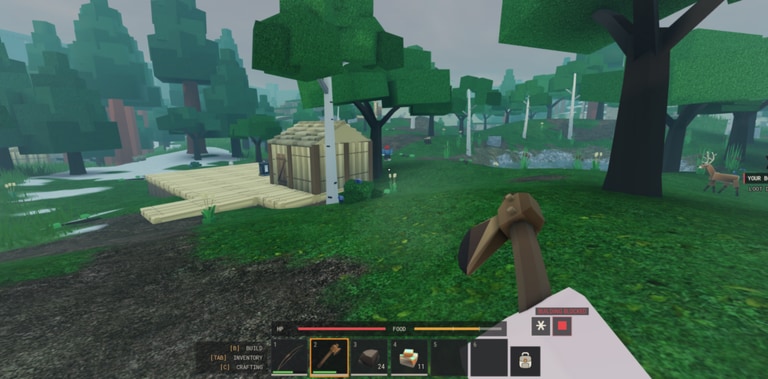
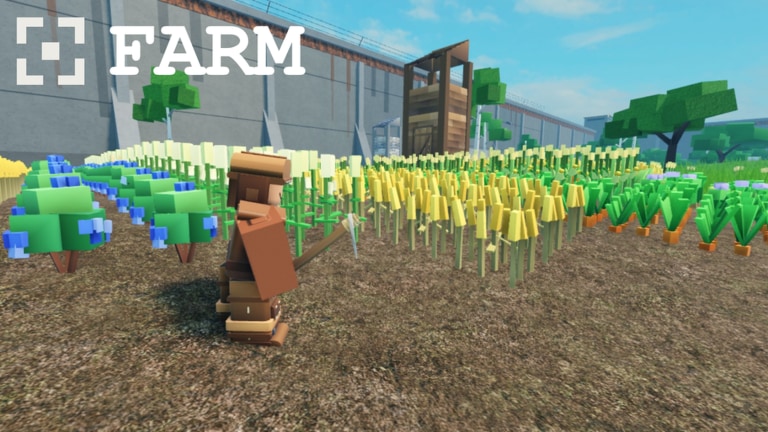
Walls by Hook Inc is a medieval fantasy faction survival experience on Roblox: one shared world where you raise a faction, unlock upgrades, craft gear, and explore fortress walls with other players. Learn the Health, Stamina, Hunger HUD in the getting started guide, claim freebies on codes, compare priorities on the tier list, dig into factions, browse scripts carefully, and track patches on updates.
Walls Roblox codes status: none verified yet, where new promos appear, and how to redeem when a Codes UI ships.
View all CodesWalls Roblox guides hub: getting started, controls, factions, crafting, combat, survival, exploration, and common mistakes for the season.
View all GuidesEarly Walls priorities ranked: Hunger, Stamina, factions, crafting, Shop value, and ranged versus melee starters.
View all Tier ListWalls controls and player tips for the 50-player shared world: HUD habits, etiquette, and practical movement advice.
View all PlayersWalls patch tracker from the 16 Oct 2026 launch: what shipped, what to retest, and where Hook Inc posts notes.
View all UpdatesWalls Roblox scripts status: none verified for this place yet, plus account-risk warnings and common request types.
View all ScriptsOfficial Walls links hub: Roblox experience page, Hook Inc group, and trusted wiki pages for guides and updates.
View all LinksOpen the official experience, pick a server (up to 50 players), and load into the shared medieval world. Bookmark this wiki and the getting started guide before your first run.
Watch Health, Stamina, and Hunger while you move. Open Inventory, Crafting, Shop, and Faction panels so you know where upgrades and supplies live — see the controls & HUD guide and the guides hub.
Check the codes page for working rewards after updates or events. Redeem early; promos expire. We note when none are live yet so you do not waste time hunting dead strings.
Team up in the Faction menu, claim territory around the walls, and coordinate upgrades with allies. Compare early priorities on the tier list before you spend scarce materials.
Quick answers to the most common Walls questions.
Read the Getting Started guide for HUD, inventory, and first-hour goals, then check codes and the tier list before heavy crafting spends.
Walls by Hook Inc is a medieval fantasy faction survival game: one shared world, build your faction, unlock upgrades, and explore the walls with up to 50 players per server.
No. This is an unofficial fan resource for walls.wiki. Confirm announcements on the official links hub and Hook Inc channels.
This wiki supports: English, Français, Deutsch, Español, Português (BR).
Codes appear after milestones and updates. See the live list on codes — redeem ASAP, and treat empty lists as "watch for codes," not broken pages.
Join a faction from the HUD, craft gear, buy from the Shop, and unlock upgrades to hold the walls. Start with Getting Started, then browse the guides hub and updates after patches.
From first-hour survival to faction upgrades, our guides cover the HUD, crafting, shop, and more. Start with the beginner guide or jump into codes and the tier list.
Start with the beginner guide