Walls Codes
Honest status for promo codes — none verified yet, plus where to watch and how redemption usually works.
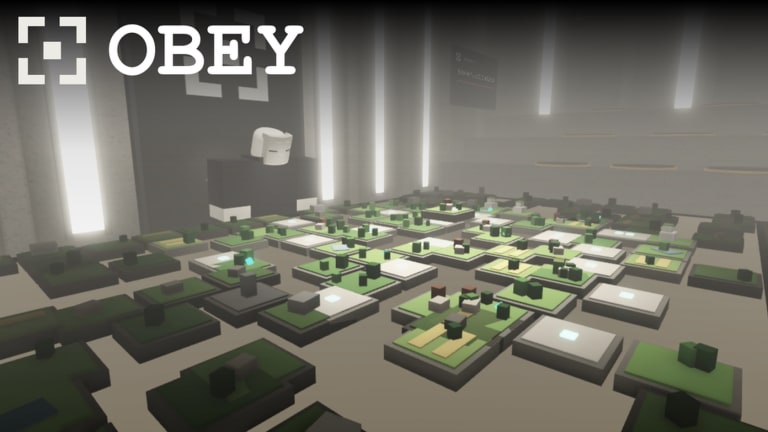
Looking for Walls codes on Roblox? This hub tracks promo codes for Walls by Hook Inc as soon as anything is publicly verified. Rechecked 16 November 2026: still no official promo codes have been confirmed for this place — including after the same-day client update window. That is not a stub — it is the current factual status for a game that launched on 16 October 2026 and is still early in its live season.
Use this page as the single place to check before you waste time typing random strings from unverified comment sections. When codes do appear, we will list the working string, the reward summary, any known expiry, and clear redeem steps. Until then, treat every “working code” screenshot floating on social media as unconfirmed unless it matches what you see here or what Hook Inc posts themselves.
Current status (rechecked 16 November 2026)
- Verified active codes: none
- Verified expired codes: none published to expire yet
- Last honesty pass: 16 November 2026 (same window as the detected client update; experience description and trackers still showed no working promo strings)
- Redeem UI: not publicly documented as a live Codes button in every build; watch Settings, Shop, and HUD corners after updates (Controls & HUD)
- Best places to watch: Hook Inc / group shout for group
776424660, the official Walls experience page, and any Discord the developers link later
If you joined for free rewards, focus on in-game loops instead: hunger and stamina management, early crafting, faction upgrades, and smart Shop spending. Those systems are confirmed in official screenshots and will always matter more than a missing promo string. Start with the Getting Started guide, then skim the Tier List Hub for early priorities.
Where Walls codes usually appear
Roblox survival and faction titles almost always drop codes through the same channels. For Walls, watch these in order:
- Group shout and group wall for Hook Inc (group id
776424660). Owners and developers often paste a short code after a patch. - Experience description or update notes on the Roblox game page. New seasons sometimes include a one-time gift string.
- Linked Discord (when Hook Inc publishes an invite). Codes channels and announcement pins are the usual home for time-limited rewards.
- In-game banners or Construct-style system messages after you load into the shared world. Narrative voices sometimes tease a redeem window without posting the string on social media first.
- This wiki’s Codes Hub after we verify a code ourselves. We will not invent IDs or copy unverified TikTok lists.
Bookmark the Updates Hub so you know when a patch might unlock a redeem UI or a launch gift. Cross-check anything you see with the Official Links page so you are not following a phishing mirror.
How to redeem codes when the UI appears
Exact button labels can change between updates, but Roblox games in this genre usually follow a predictable pattern. When Walls ships a Codes panel, expect something close to this flow:
- Launch Walls from the Roblox experience page and wait until Health, Stamina, and Hunger bars finish loading.
- Open Settings, Shop, or a dedicated Codes button on the HUD (common placements: top-right icons or a gift/ticket glyph near Inventory).
- Tap the text field, paste the code exactly — codes are almost always case-sensitive and hate trailing spaces.
- Confirm / Redeem. If the reward is currency, materials, or a starter kit, check Inventory and Shop balance before you leave the menu.
- If redemption fails, leave the server, rejoin the shared world, and try once more. Do not spam the same code fifty times; that can soft-lock some UIs.
Until that panel is confirmed live, do not enter codes into random browser forms that claim to “inject” Walls rewards. Those sites are unrelated to Hook Inc and are a common account-theft vector. Stick to the in-game client only.
What codes usually grant in faction survival games
When Walls eventually publishes promos, rewards will likely mirror other medieval survival titles:
- Soft currency or Shop credit for early armor and tools
- Resource crates (wood and related materials) to skip a short farm loop
- Cosmetic or title gifts tied to a season of The Construct
- Temporary boosts for Hunger drain, Stamina regen, or crafting speed
None of those replace learning the core loop. A crate of wood will not save you if you ignore Hunger while exploring the Walls at night. Pair any future code claim with the Survival and Crafting & Shop guides so the gift actually compounds into faction progress.
Safety rules before you claim anything
- Never share your Roblox password, session cookie, or backup codes with a “code bot.”
- Never install a browser extension that promises automatic Walls code redemption.
- Prefer official group posts and the live experience over Discord DMs from strangers.
- If a code asks you to join an unrelated experience first, treat it as suspicious unless Hook Inc announced that funnel.
- Keep Scripts separate from codes. Executors and free-reward scripts are not promo codes and can get your account moderated.
Related reading while you wait
Codes are optional. Progression is not. While this hub stays empty of verified strings, put your time into:
- Getting Started — first 30 minutes, HUD bars, and early goals
- Factions — joining or building a group that can hold wall territory
- Combat — bows, spears, and fighting from fortress positions
- Players Hub — controls and practical tips for the 50-player shared world
- Tier List Hub — what to prioritize before chasing cosmetics
When the first verified code lands, this page will move from “none confirmed” to a dated table with reward notes. Until then, assume silence means there is nothing safe to redeem — and play the game Hook Inc actually shipped.
FAQ-ready checklist for new players
Ask yourself these questions every time someone posts a “new Walls code”:
- Did Hook Inc, spleenhook, or the official group post it?
- Does this wiki or another careful tracker list the same string?
- Does the redeem happen inside the Roblox Walls client?
- Does the reward match the current season fantasy (walls, factions, Construct messaging)?
If any answer is no, skip it. A missed code is cheaper than a compromised account. Come back here after major patches listed on the Updates Hub, and keep the Official Links page handy so you always jump to the real experience and group.
Frequently Asked Questions
Quick answers to the most common Walls questions.
Are there any working Walls codes right now?
Rechecked 16 November 2026: no promo codes for Walls by Hook Inc have been publicly verified. This page will list them when official strings appear.
Where will new Walls codes be posted?
Watch the Hook Inc Roblox group shout (group 776424660), the official experience page, linked Discord announcements when available, and this Codes Hub after verification.
How do I redeem a code in Walls?
When a Codes UI ships, open it from Settings, Shop, or a HUD gift button, paste the exact string, and confirm. Redeem only inside the Roblox client — never on random websites.
Why does this wiki say there are no codes if social media lists some?
Unverified comment and short-video lists are often wrong, expired, or copied from other games. We only publish codes we can attribute to Hook Inc or reproduce in-game.
Do codes replace crafting and faction play?
No. Even strong promos are short boosts. Hunger, Stamina, crafting, Shop value, and faction upgrades remain the real progression path in Walls.