Walls Updates & Patch Watch
Release timeline, live-season signals, and what to re-test after Hook Inc changes the shared world.
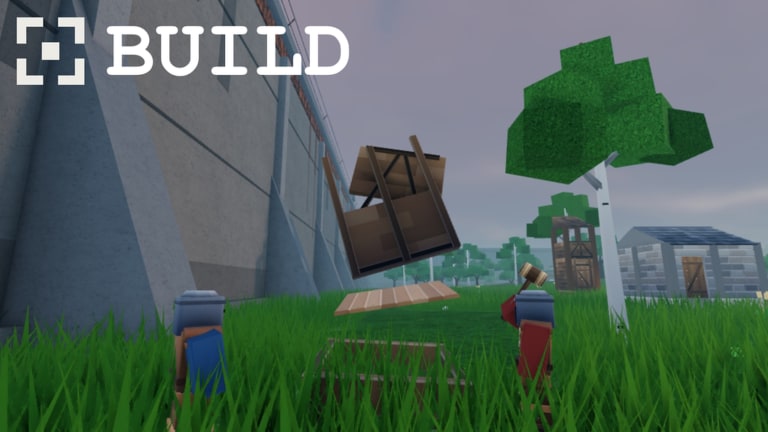
The Updates Hub tracks the live history of Walls by Hook Inc on Roblox — from the 16 October 2026 release into the ongoing season. Walls is a released, online medieval fantasy faction survival game: one shared world, max 50 players, with Health / Stamina / Hunger, Inventory, Crafting, Shop, Faction tools, and melee plus ranged combat around stone fortress walls.
This page is your checklist for what changed and what to re-learn after a patch. Pair it with gameplay deep dives on the Guides Hub and priority resets on the Tier List Hub.
Release timeline
| Date | Milestone |
|---|---|
| 2026-10-16 | Walls released on Roblox (place 124550432477389, universe 10771328092) |
| Oct–Nov 2026 | Early live season: visits climb to roughly ~1.42M, favorites to roughly ~25.9k, with concurrency often in the thousands |
| 2026-11-16 | Client update detected (Roblox client timestamp ~04:51 UTC) — treat as a retest window even without a marketing blog |
| Ongoing | Watch Hook Inc group 776424660 shouts, experience page text, and in-game Construct-style messaging for seasonal framing |
Exact hotfix timestamps can land without a marketing post. If combat or hunger suddenly feels different, assume a silent tune until confirmed — then update your habits using Survival and Combat.
16 November 2026 — client update detected
API live checks on 16 November 2026 showed the Walls client updated while the experience sat near ~1,420,213 visits, ~25,909 favorites, and ~4,364 playing (concurrency often in the thousands across the season). No separate cinematic patch trailer is required for that to matter in your session.
Retest checklist (run once after joining)
- Settings / HUD — Confirm sprint, interact, attack, and aim binds; scan for new icons near Inventory, Shop, or Faction (Controls & HUD, Getting Started, Players).
- Survival drain — Time a short daylight walk loop; note Hunger and Stamina (Survival).
- Combat feel — Five parapet peeks with stamina resets; note bow draw and melee swing cost (Combat).
- Crafting & Shop — Re-check staple recipe costs and one emergency food/tool price (Crafting & Shop).
- Faction tools — Join/found flow and upgrade screens still match your notes (Factions).
- Exploration risk — Outer-ring contest may feel hotter at ~4k concurrent vibes; shorten night ambitions (Exploration).
- Codes / Scripts honesty — Rechecked the same day: still no verified promo codes and no ScriptBlox listings for this place id (Codes, Scripts).
- Faction chat — Paste what changed so recruits are not running October habits in a mid-November client.
If nothing mechanical feels different, you still win: you proved the binds and bars before staking night territory.
What “released” means for players
Walls is not an unreleased teaser. You can join the experience today, form factions, explore the Walls, and participate in the shared economy. That also means:
- Balance can shift while you sleep
- Shop prices and crafting outputs may be tuned without a cinematic trailer
- Faction meta can flip when upgrades change
- Promo Codes may appear later even if none are verified yet
- Public Scripts indexes may lag or stay empty for this place id
Play the build in front of you. When documentation conflicts with the client, trust the client and tell your faction what you observed.
What to watch after every meaningful update
Run this short audit whenever Hook Inc ships a noticeable change:
- Survival drain — Does Hunger or Stamina fall faster? Retest a standard gather loop (Survival).
- Combat feel — Bow draw, spear reach, and armor breakpoints (Combat).
- Crafting outputs — Recipe costs and whether wood-heavy loops still make sense (Crafting & Shop).
- Shop pricing — Which emergency buys are still “good value” for new players.
- Faction tools — Join flow, upgrade costs, territory incentives (Factions).
- HUD / Settings — New buttons (including a possible Codes entry) or moved icons (Getting Started, Players).
- Social pressure — Population spikes after a featured moment can change how contested the Walls feel.
Write the results in your faction chat so newer members are not learning outdated advice.
Seasonal framing: The Construct
The official description speaks in the voice of The Construct, wishing players a productive season. Treat that as the live-ops tone: Walls wants ongoing gathering, upgrading, and exploration — not a one-and-done tutorial. When update text leans into seasonal language, expect:
- Push toward faction upgrades
- Emphasis on exploring beyond the inner walls
- Possible time-limited Shop or crafting incentives (confirm in-client)
- Narrative breadcrumbs that do not always equal new systems
Do not invent event names that were never posted. If a season name appears officially, it will be added here with a date.
Where Hook Inc signals land first
Priority order for patch intel:
- In-game banners, patch popups, or Construct messages after join
- Roblox experience description and update notes on the Walls game page
- Hook Inc group shout / wall for group
776424660 - Any official Discord the developers link later (see Official Links)
- This Updates Hub after we verify player reports against the live client
Unverified TikTok “leak patch notes” are entertainment, not sources.
How updates interact with other wiki hubs
| If the patch touches… | Re-read |
|---|---|
| Hunger / weather / night | Survival |
| Weapons / armor / wall fights | Combat |
| Recipes / prices | Crafting & Shop |
| Clan tools / territory | Factions |
| Onboarding flow | Getting Started |
| HUD / binds | Controls & HUD |
| Scout routes | Exploration |
| Habit resets | Common Mistakes |
| Early priority order | Tier List |
| Promo strings | Codes |
| Cheat chatter | Scripts |
Player-reported change log etiquette
When you report a change to your faction or to wiki maintainers:
- Include approximate date/time and platform (Roblox client)
- Describe before/after with numbers when possible (“Hunger empty in ~X minutes on a walk loop”)
- Separate lag complaints from true balance changes in a 50-player fight
- Screenshot Shop prices instead of paraphrasing from memory
Good reports keep this hub useful without turning it into rumor soup.
Looking ahead
As Walls matures past its first month, expect pressure for clearer redeem flows, deeper faction progression, and tighter combat clarity. None of that should distract from the systems that already define the game: shared-world survival, wall geography, and productive resource loops. Keep Official Links bookmarked for the real destinations, and keep playing the honest client instead of waiting on speculative roadmaps.
Quick rejoiner checklist after a patch day
- Join Walls from the official experience link
- Open Settings and scan for new HUD entries
- Check Inventory / Crafting / Shop for changed costs
- Meet your faction and ask what broke mid-fight yesterday
- Run one safe daylight loop before staking night territory
- Skim this hub again if something still feels undocumented
Stay flexible. The Walls do not freeze between sessions — and neither should your playbook.
Frequently Asked Questions
Quick answers to the most common Walls questions.
When did Walls release on Roblox?
Walls released on 16 October 2026 as a live online experience by Hook Inc.
Where should I look for patch notes?
Check in-game messages first, then the Roblox experience page and the Hook Inc group shout. This Updates Hub summarizes verified changes afterward.
Do silent hotfixes happen?
Yes. Survival drain, Shop prices, or combat can shift without a marketing post. Retest core loops when something suddenly feels different.
How do updates affect the tier list?
If Hunger, Stamina, crafting, Shop value, or starter weapon strength changes, revisit the Tier List Hub and adjust early priorities with your faction.
Are codes announced with updates?
Sometimes games bundle promo strings with patches, but Walls still had no verified codes as of the 16 November 2026 recheck. Watch the Codes Hub when redeem UI or official strings appear.